---
title: "Target"
url: "https://help.flowsplay.world/en/article/flashwins-target"
language: "en"
last_updated: "2026-06-12T10:16:32.747Z"
---
# Target
The Target tab controls who and what qualifies for a prize.
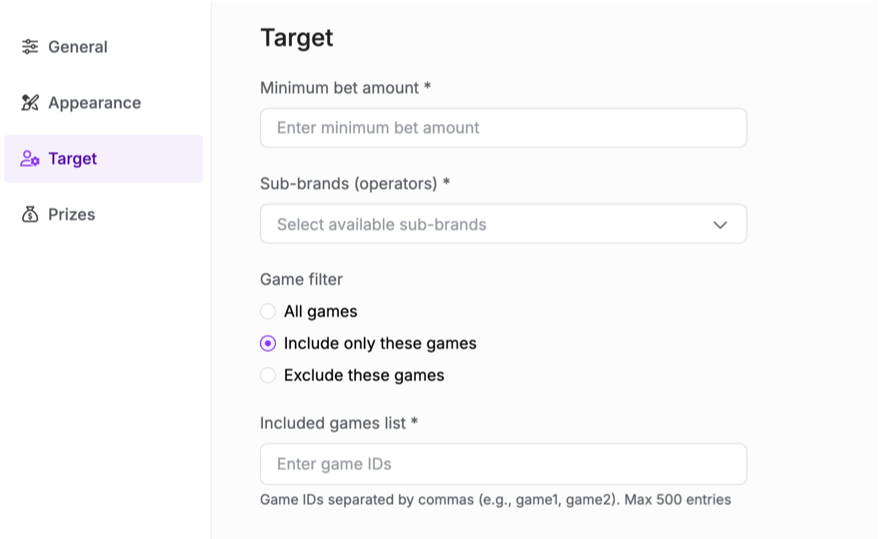
### Minimum bet amount
| Field | What it does |
| --- | --- |
| **Minimum bet amount** | The smallest bet that qualifies for a prize. A spin below this amount cannot win. Set it to match the play you want to reward. |
### Game filter
Choose which games the campaign applies to.
| Option | What it does |
| --- | --- |
| **All games** | Applies the campaign to every game on the Site. |
| **Include only these games** | Applies the campaign only to the game IDs you list. |
| **Exclude these games** | Applies the campaign to every game except the IDs you list. |
### Included or excluded games list
| Field | What it does |
| --- | --- |
| **Games list** | The game IDs the filter applies to. Enter game IDs separated by commas (for example
`game1, game2`
). Up to 500 entries. This list shows only when you choose Include or Exclude. |
### Sub-brands
**Note:** Sub-brands is available by request and is not visible to all users by default. Contact Flows to enable it.
| Field | What it does |
| --- | --- |
| **Sub-brands** | Which brands the campaign runs on. Shown when your organisation runs more than one brand. With a single brand, it is selected for you. |